Written reports, with files inside the answers
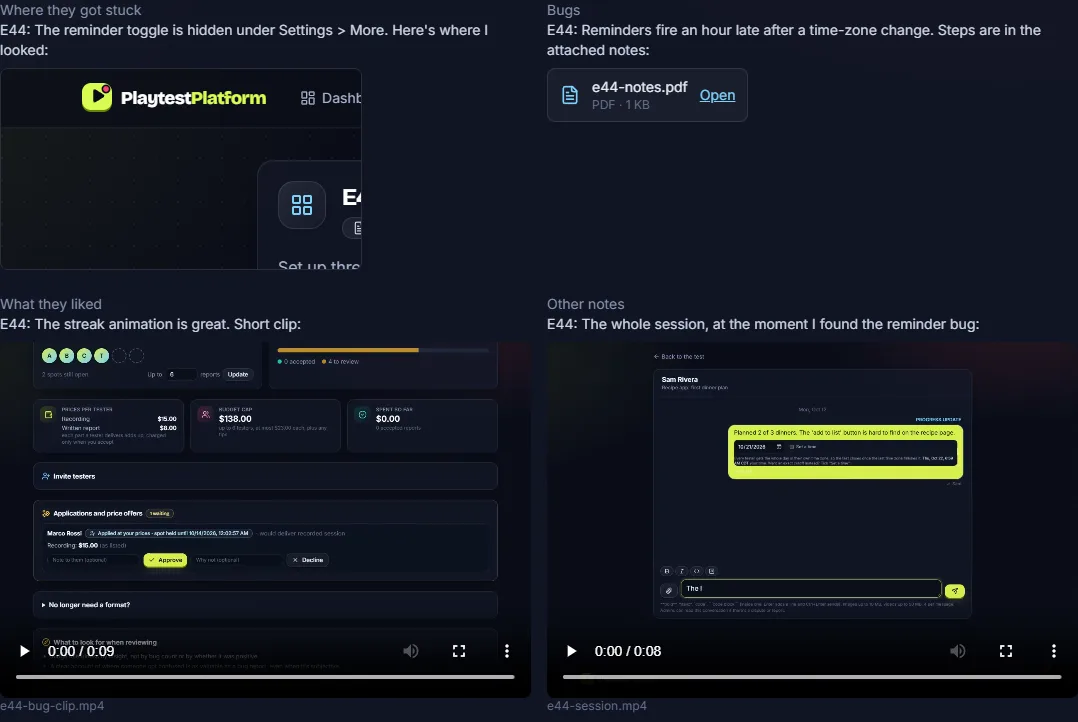
Testers answer your questions, then add screenshots, PDFs, clips or their session recording exactly where they belong in an answer, so you read the bug and see it in the same place.
Opening soon · join the waitlist
Playtest Platform is a marketplace where developers post tests of their apps, games and websites, and real people test them and are paid for written reports, screen recordings where they think out loud, or live calls.
Sign-ups, tests and payments open at launch.
How it works
Developers get feedback from real people. Testers get paid for giving it. Here is each side, step by step.
Step 1
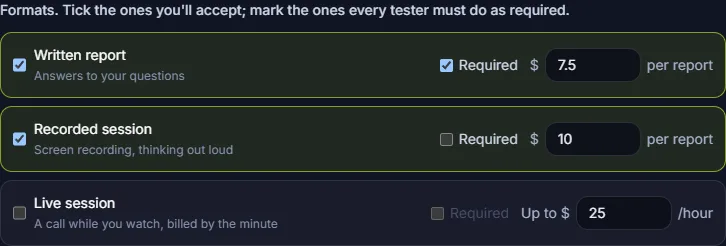
Say what to try and pick the formats: written report, screen recording, live call. Mark each one required or optional, set your prices, and write what counts as an accepted report. Add an NDA and a private link or access key per tester if you need them.
Step 2
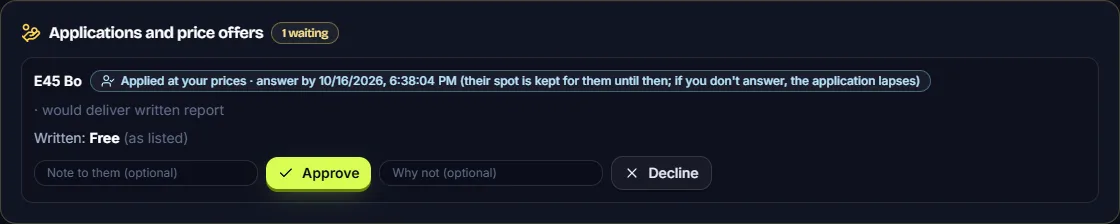
Testers whose interests, devices and languages fit join at your prices, or apply if you'd rather approve each one. They can also offer their own price; you accept, decline or counter.
Step 3
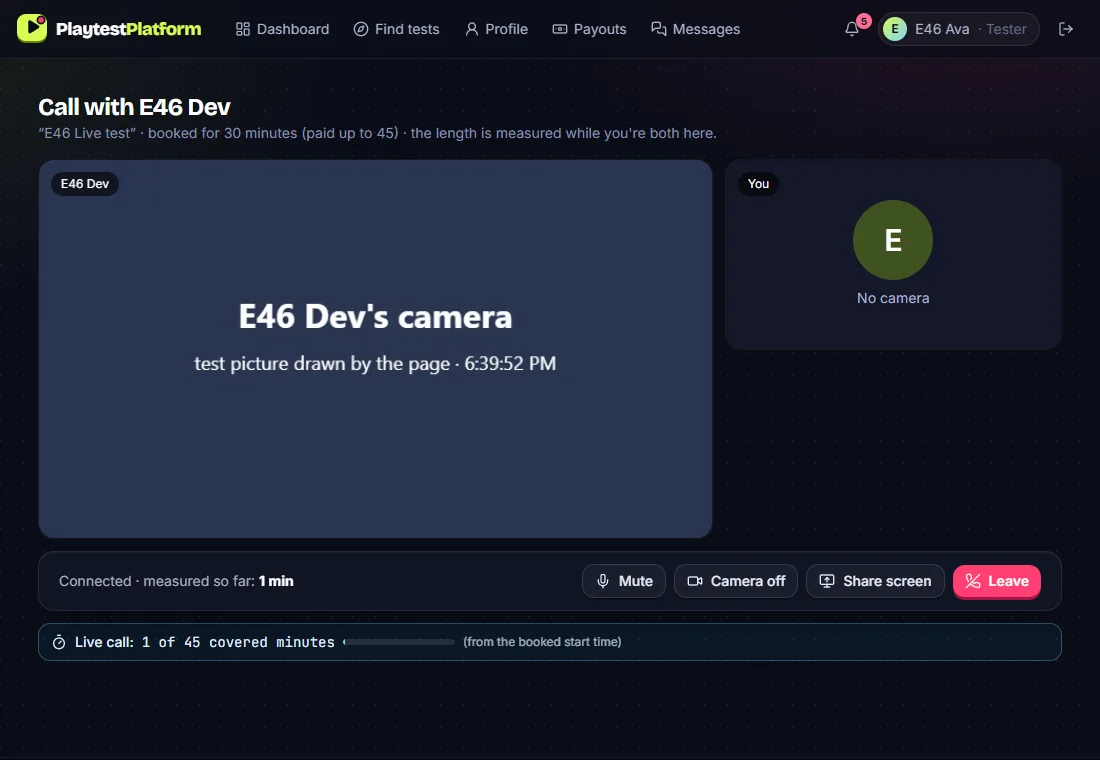
Each session has its own chat. Reports arrive with screenshots and clips inside the answers, recordings come with transcripts, and live calls happen in the browser with screen sharing.
Step 4
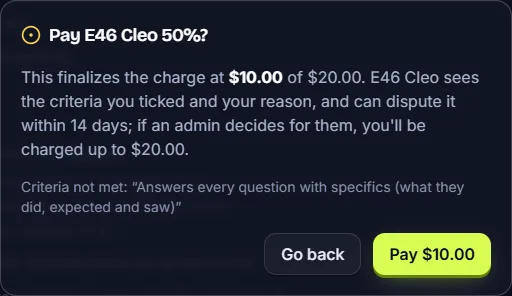
Accept in full, pay part, or reject. Paying part or rejecting means ticking the criteria that weren't met and giving a reason, which the tester sees.
Step 5
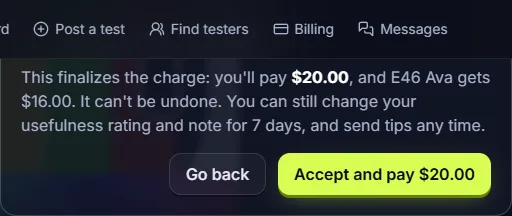
Your card is charged when you accept a report, for the amount you accept: nothing for a rejected one, unless a dispute is decided for the tester. Reports you don't review in 7 days are accepted automatically, so review on time.
Step 6
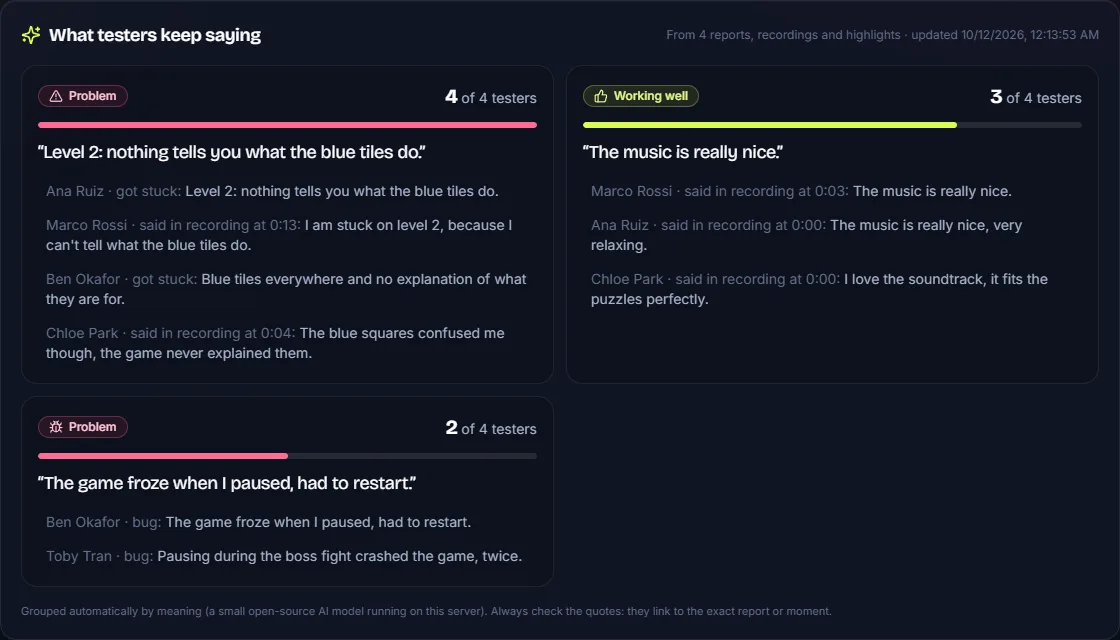
What several testers said is grouped into themes and counted (“4 of 4 testers”), each linked to the quotes and moments it came from.
Step 1
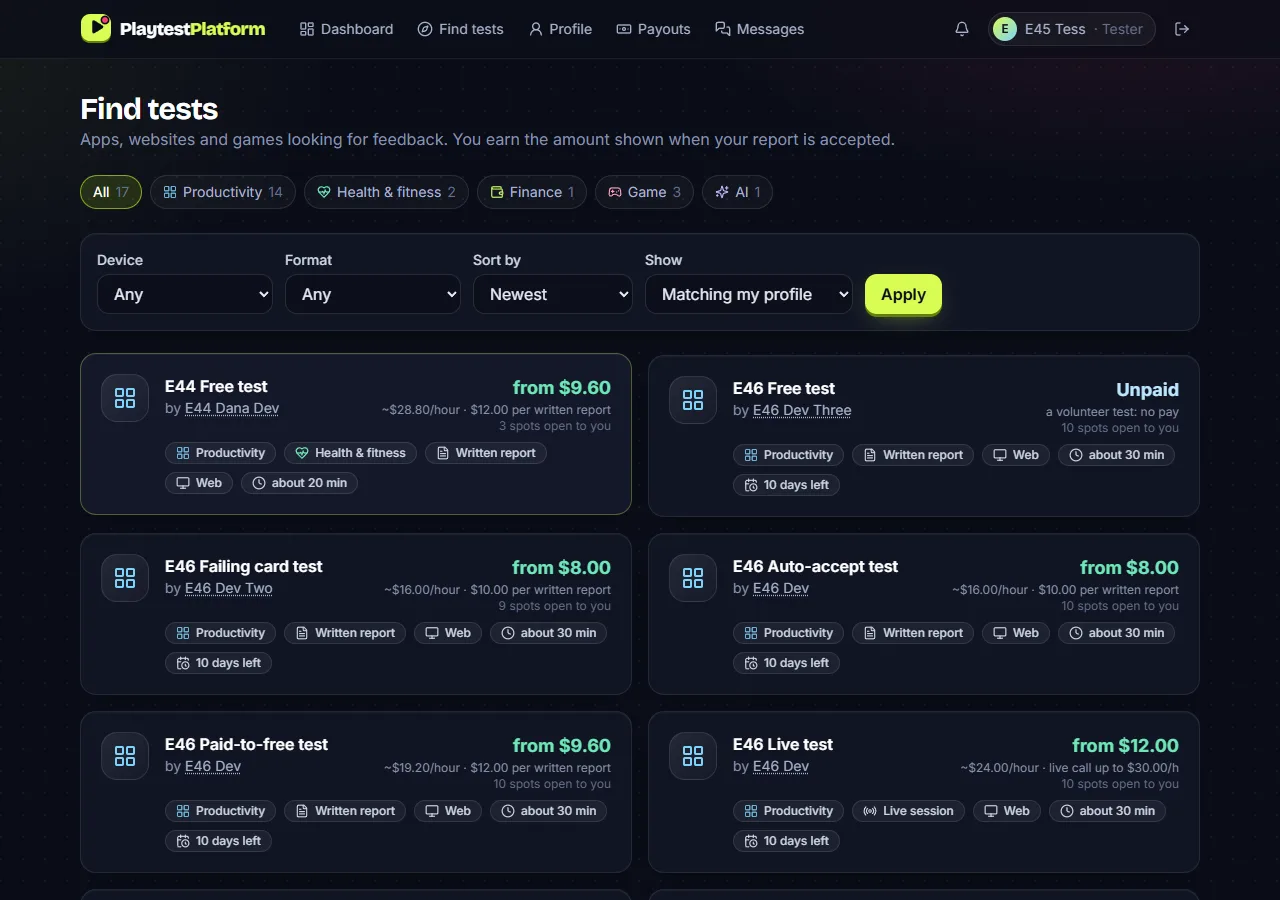
Your interests, devices and languages decide which tests you're matched with. Add a short bio and, if you like, your own hourly rate for live calls.
Step 2
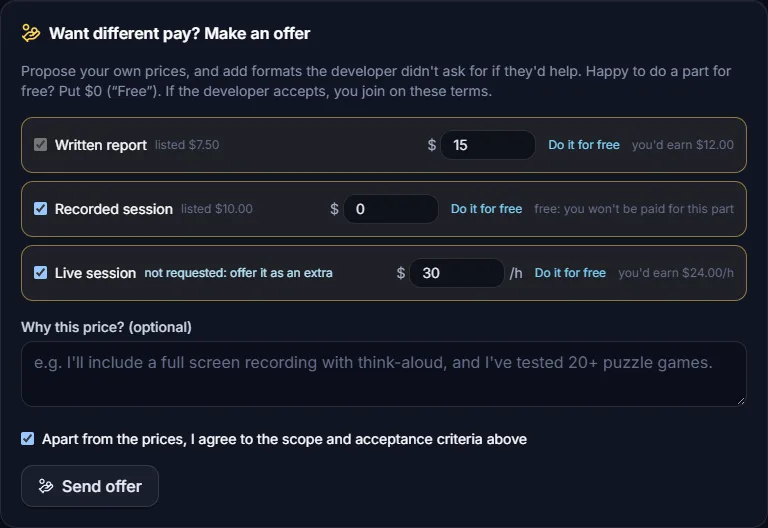
Join at the listed price, or make an offer: your own price per format, a part for free, or a live call as an extra. The developer accepts, declines or counters, and your spot is held while they decide.
Step 3
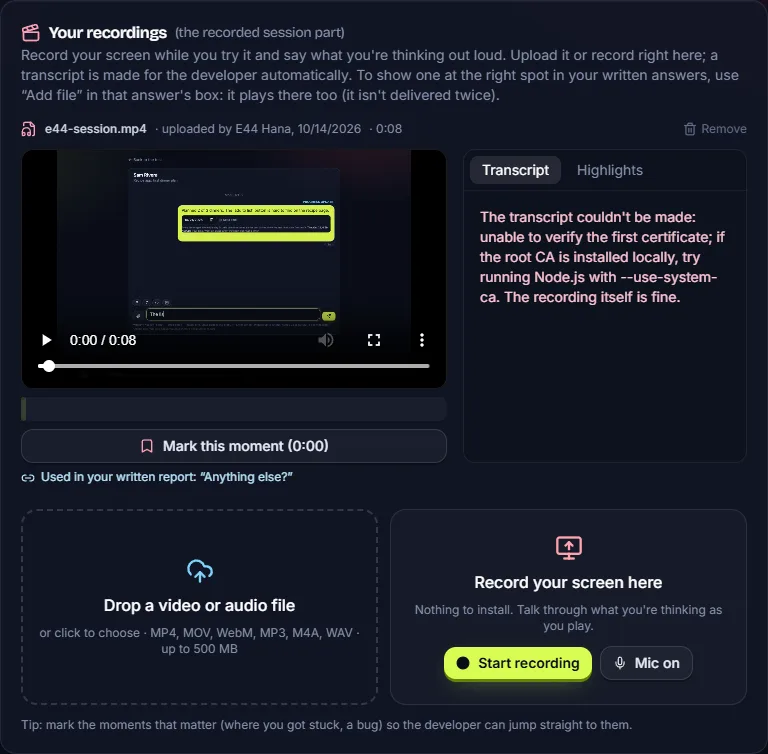
Write your report, record your screen on the site while you think out loud (nothing to install), or join the call. Put screenshots and clips right where they belong in your answers.
Step 4
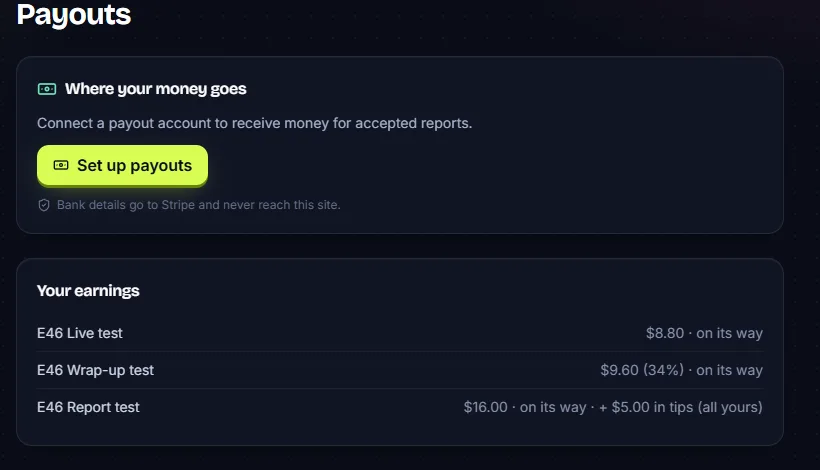
You keep 80% of what the developer pays for your work and all of every tip, paid to your bank through Stripe. Accepted reports and ratings move you up: Verified tester after 3 accepted reports rated 3.5/5 on average, Top tester after 20 rated 4.5/5.
Features in depth
How each part works, with screenshots from the site itself.
Testers answer your questions, then add screenshots, PDFs, clips or their session recording exactly where they belong in an answer, so you read the bug and see it in the same place.
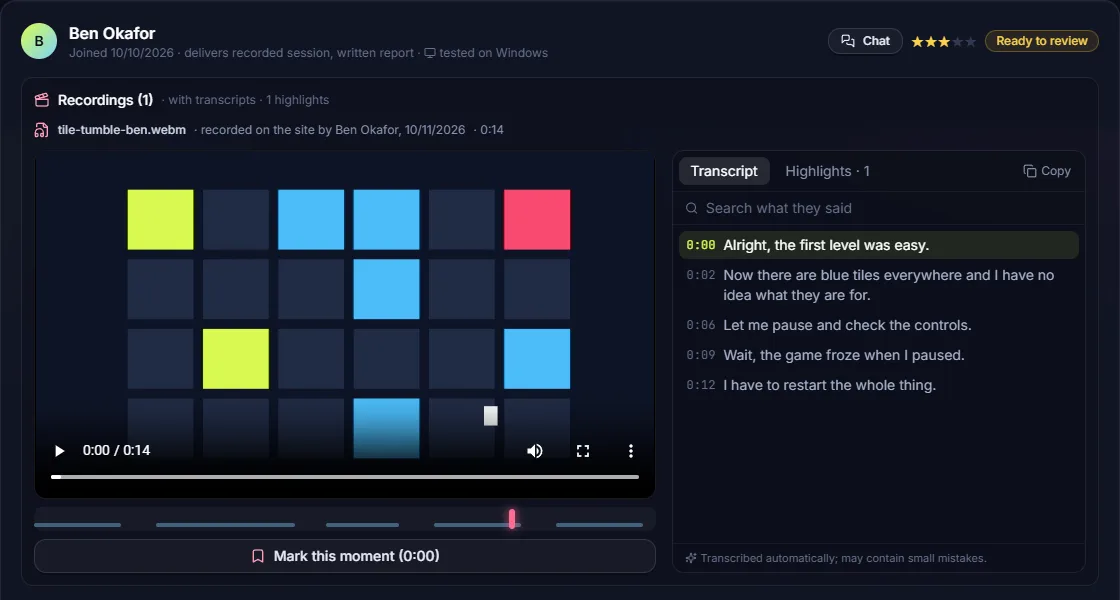
Testers record their screen and voice on the site. Each recording is transcribed automatically with timestamps: click a line to jump there, mark moments, and search every transcript. Transcripts and themes are made by open-source AI models on our own servers; recordings aren't sent to outside AI companies.
Book a time, then meet in a private call room on the site with voice and screen sharing. The site measures the minutes you're both connected; the tester logs them, the developer confirms, and that's what is paid (up to 150% of the booked time).
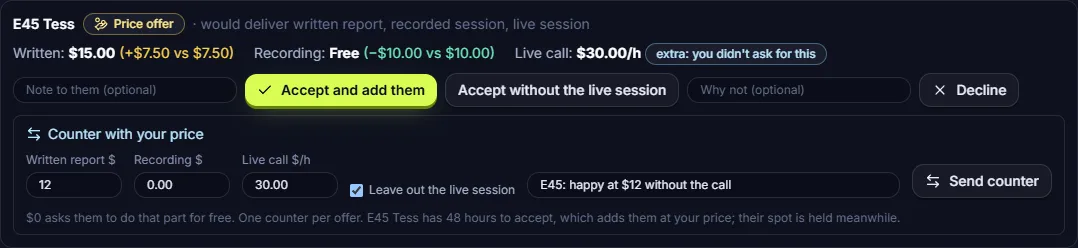
A tester can offer a different price for any part, do a part for free, or add a live call. The developer accepts, declines or counters once with a note; the tester accepts and joins in one click.
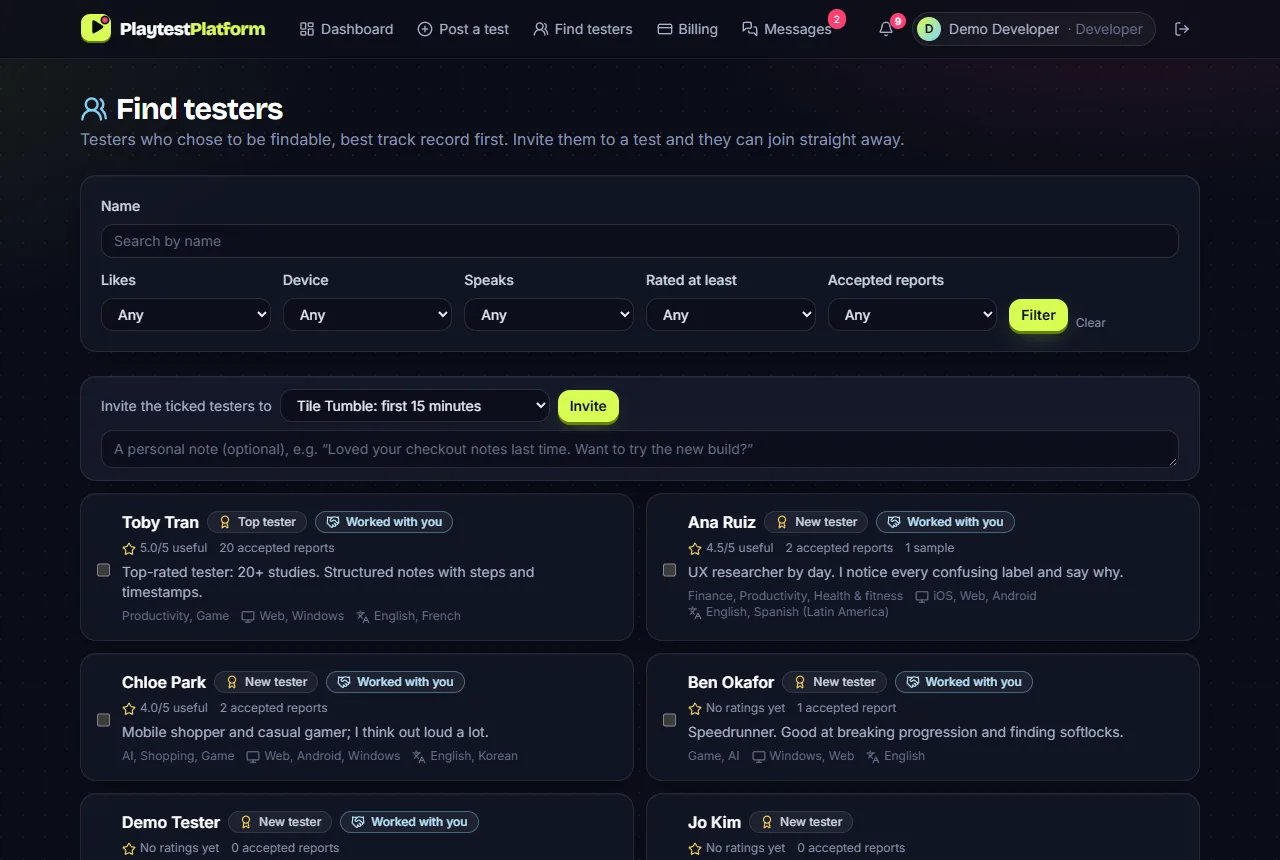
Developers can search testers who chose to be findable, filter by interests, devices, languages and rating, and invite them. Invited testers join without applying, and it's easy to bring good testers back for the next round.
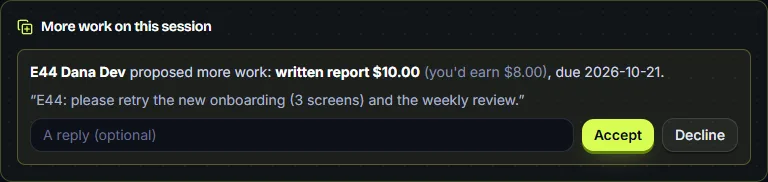
After a review, either side can propose more work in the same session: what to do, the price, a deadline and a note. It starts only if the other side accepts.
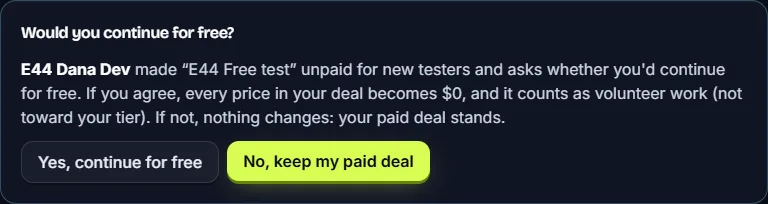
Post an unpaid test for people who want to help, or ask the testers already in to continue for free. Each can say no and keep their paid deal. Volunteer work is shown apart and never counts toward tiers or ratings.
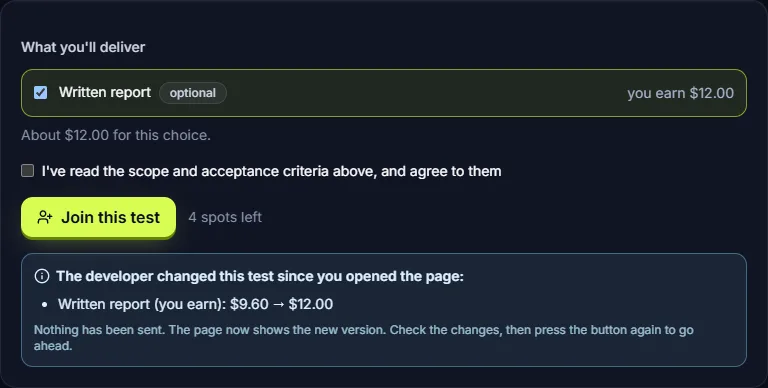
If a price, the test or someone's profile changes while you have the page open, pressing the button first shows what changed and sends nothing. Press again once you've checked.
Testers are reminded every day in the last week before a deadline (and a month before, when it was set further ahead). After it there are 48 hours to send what they have; then the developer can give more time or close the session.
Fair by design
What counts as a good report is written down up front, and the site holds both sides to it.
Once a tester joins, any change the developer makes to the test (price, deadline, instructions, NDA…) reaches them as a request listing what changes. They accept or decline; until then their deal stays as it was.
A report that isn't reviewed within 7 days is accepted and paid in full. A developer can ask the tester a question first; that pauses the clock, for at most 3 days in total.
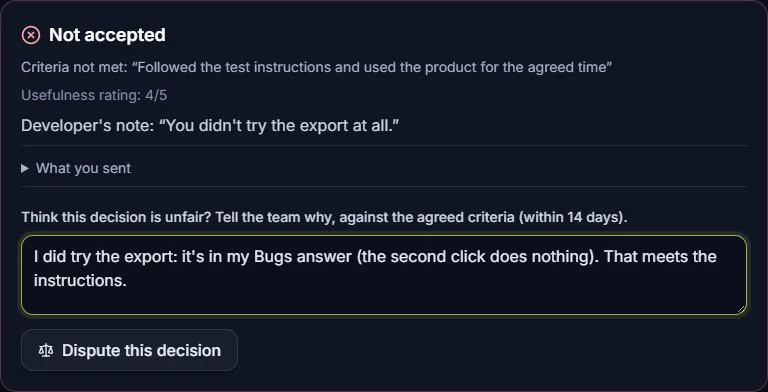
Paying part or rejecting must name the agreed criteria that weren't met. The tester can dispute within 14 days; a person on our team reads the report and the criteria and decides, and a dispute never lowers the pay.
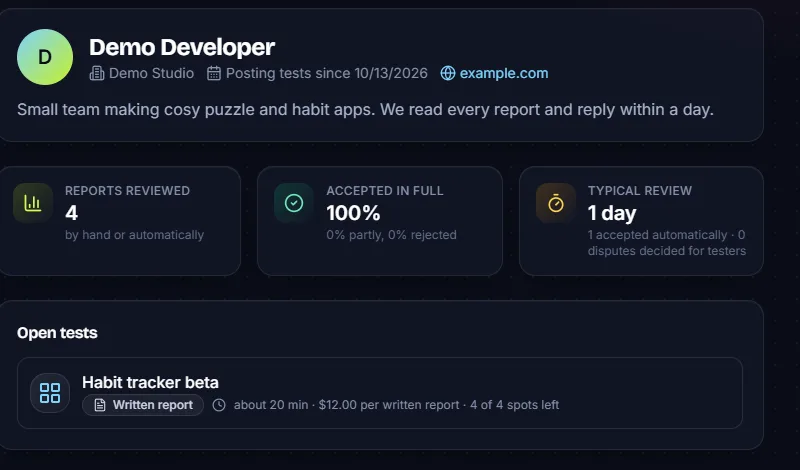
Each developer's record is public: reports reviewed, the share accepted in full, partly paid and rejected, and how long reviews take. If it gets worse while you're looking at a test, you're told before you join.
Developers save a card with Stripe; a report is charged when it's accepted, for the amount accepted (or earlier only if the developer chooses to pay part in advance). Testers are paid to their bank through Stripe.
Of every accepted report, 80% goes to the tester. Tips go to the tester in full.
A session closed because the tester didn't deliver by the deadline (after a grace period) shows on that tester's profile as “Didn't deliver”, next to their accepted reports and ratings.
Secure by design
Cards are saved on Stripe's own checkout page and testers set up payouts on Stripe's own pages. Card and bank numbers never reach our servers.
Passwords are stored only as bcrypt hashes, never as the password itself, and repeated wrong guesses at sign-in are slowed down.
A session's chat, files and recordings are visible only to its developer and tester. Our admins can read them (not post) to settle a dispute or a report about someone.
Every file is checked for its real type from its contents, not just its name, and for its size, and is served so a browser can't run it as a page.
Your build's link and per-tester access keys are shown only to testers who joined, after agreeing to your NDA if you set one.
To stop people testing their own products for fake reviews, the site notices when a developer and a tester on the same test share a browser, payment card, payout bank account or network. These are kept only as one-way hashes, and a person reviews every match.
Accounts confirm their email address before they can post or join a test.
Every charge and payout is sent to Stripe with its own unique key, so a retry after a network error can't charge or pay the same thing twice.
Pages can't be framed by other sites (no click-jacking), browsers aren't allowed to guess a file's type, and only this site itself can ask for your microphone or screen.
Why it's different
Written reports, screen recordings with thinking out loud, and live calls, in any mix. Mark each one required or optional, and testers do what they're best at.
Posting is free and there's no minimum: you pay for the reports you accept, even from one tester. An optional $3.00/month plan adds extras like themes and invites, and every developer gets them free during the launch.
Testers can offer their own price for any part of a test and set their own hourly rate for live calls. The developer decides.
Developers see testers' accepted reports, ratings and missed deadlines. Testers see how each developer reviews before they join.
Made by open-source AI models running on our own servers, so recordings and reports aren't sent to outside AI companies.
Prices, deadlines, instructions and NDAs can't change for someone already working on a test unless they accept it.
FAQ
We're finishing payments and final checks, and we don't have a fixed date yet. Everyone on the waitlist gets an email when it opens.
For developers, posting a test is free; you pay the price you set for each report you accept, and nothing for ones you reject (unless a dispute is decided for the tester). An optional $3.00/month plan adds extras (more tests open at once, approving testers, themes, invites, CSV export), and they're free for everyone during the launch. For testers it's free: the site keeps 20% of each accepted report's price, and tips go to you in full.
Through Stripe. You set up a payout account on Stripe's own pages (your bank details go to Stripe, not to us). You get 80% of each accepted report, all of every tip, and live calls are paid by the minutes measured on the call. Reports a developer doesn't review within 7 days are accepted automatically.
Anything a person can try on their own device: games, mobile apps, web apps, websites, developer tools, AI products, and VR or AR. Tests say which devices they need (web, iOS, Android, Windows, macOS, Linux, console, VR) and testers are matched by theirs.
Your build's link and access keys are shown only to testers who joined, and you can give each tester their own key. You can require an NDA that testers agree to when joining, and work from a test under an NDA never appears on a tester's public profile. If a tester leaks it or breaks the NDA, you can report them to our team.
Paying part or rejecting must name the agreed criteria that weren't met. The tester can dispute it within 14 days with their reasons; a person on our team reads the report against the criteria and decides. A dispute can raise the pay, never lower it.
No. Everyone starts as a New tester. Accepted reports and good ratings move you up a tier, and developers see your track record when choosing whom to invite.
Yes. One account can have both sides and switch between them. You can't test your own products, and the site watches for linked accounts that try.
Leave your email and tell us which side you're on. We'll email you when sign-ups open.
Read the Terms of Use and our Privacy page.